
Share This Article
Mailbird free vs premium is one of the first questions asked when choosing a desktop email client for Windows or Mac. The comparison centers on Mailbird Next, a product from mailbird pro that unifies Gmail, Outlook, iCloud, Yahoo, Proton, and IMAP accounts into one workspace instead of scattered browser tabs. Setup takes only a few minutes, since the client autofills server settings and imports mail from other clients such as Outlook or Thunderbird.
What Mailbird Next Is and How Free and Premium Access Compare
New users can try every feature free for seven days before deciding whether to stay on free access or move to Premium. That trial window makes the Mailbird free vs premium choice easier to test, because both sets of tools are visible from the first login. mailbird pro built the two options on the same underlying layout, so switching later does not mean relearning the interface.
The project traces back to an entrepreneurial retreat on the island of Bali, Indonesia, and today runs as a fully remote team of 15 people spread across continents. More than 3.3 million registered users rely on the software across Windows and Mac machines. mailbird pro now ties that history to Mailbird Next, the shared codebase behind both the Windows and Mac versions of the client.
Core Features Available on the Free Plan
Free access already covers a wide range of everyday needs. Unlimited email accounts, filters and rules, blocked senders, and the ability to move mail between accounts come included without any upgrade. A native calendar and native contacts sit alongside Exchange support, attachment search, and quick unsubscribe.
Customer support, email aliases, quick reply, favorite folders, and pinned attachments are also open to every user on free access. On top of that, more than 20 keyboard shortcuts and an interface available in more than 20 languages ship with the free plan. That is a wider starting point than many desktop email clients offer before any upgrade.
Premium Features in Mailbird Next
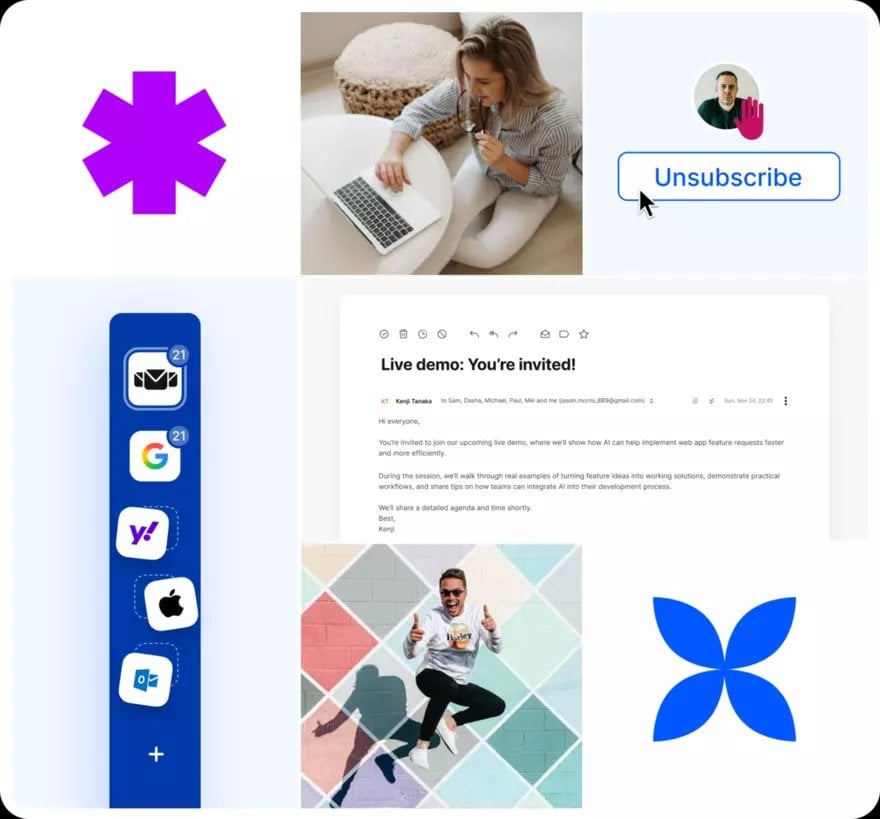
Premium access changes the picture mainly around tracking and automation. Unlimited email tracking shows when a message was opened, so a sender can follow up only on the ones left unread and leave the rest alone. mailbird pro also unlocks the full panel of more than 45 integrations, custom apps, and AI integration through MCP for connecting outside assistants such as Claude or ChatGPT.
That gap is really the core of the Mailbird free vs premium comparison, since everything else about the inbox stays identical. The AI connection stays off until someone turns it on, and it only acts when asked to organize, read, or draft a message. No email content is used to train outside models as part of that connection.
45+ Integrations and App Connections Across Both Plans

Both free and Premium access can add apps to a side panel next to the inbox, covering tools such as WhatsApp, Google Calendar, Asana, and Dropbox. That panel allows a reply to a message, a completed task, or a glance at a schedule without leaving the mail window. mailbird pro lists more than 45 integrations in total as one of the most prominent features across the product.
The side panel idea runs through the whole client, regardless of which access level is active. For businesses specifically, the same integration panel doubles as a shared productivity workspace built around team accounts. That makes the app connections useful well beyond solo inbox management.
Email Management Tools: Organization, Scheduling, and Privacy
Day-to-day organization tools stay shared across both free and Premium access. Messages can be snoozed until a better moment, sends can be scheduled for later, and an undo-send option gives a short window to catch mistakes. Snippets handle quick replies, and advanced search covers every connected account at once because the inbox stays unified rather than split by provider.
On the privacy side, mail is stored on the local computer rather than on remote servers. The Privacy Hub can block pixel trackers and remote images, so senders cannot tell when a message was actually opened. Appearance settings, including nine color themes and five layouts in light or dark mode, apply the same way no matter which access level is active.
- Free access includes unlimited email accounts, filters and rules, and native calendar and contacts.
- Nine color themes, five layouts, and both light and dark mode are available to every user.
- Unlimited email tracking is reserved for Premium access and shows exactly when a sent message was opened.
- The full panel of more than 45 integrations and custom apps opens up once Premium is active.
- AI integration through MCP connects outside assistants, such as Claude or ChatGPT, directly into the inbox.
- The Privacy Hub blocks pixel trackers and remote images no matter which access level is active.
Choosing Between Free and Premium Based on Workflow Needs
The Mailbird free vs. premium decision becomes clearer once actual email habits enter the picture. For someone managing a couple of personal accounts, free access likely covers everything needed, from the unified inbox to filters and attachment search. For someone sending frequent follow-ups, managing client communication, or leaning on scheduling and integrations throughout the day, Premium adds tracking and automation that start to matter, and the seven-day trial allows that choice to be tested before committing.
A separate option, Mailbird Business, extends that same approach to teams. It adds priority support, a shared contacts manager, and setup help for a group of ten or more people. mailbird pro positions that option alongside the individual free and Premium access points rather than replacing either one.
Email habits, not the interface, decide which side of that comparison fits best.
