
Share This Article
Many creators approach generative tools with assumptions shaped by early demos or social media clips, and that gap between expectation and reality fuels most AI video generation misconceptions circulating today. Some assume a single prompt produces a finished film, while others think the output is either flawless or useless. Neither extreme matches how these tools actually behave in practice, and separating fact from exaggeration matters for anyone deciding whether to adopt them.
What AI Video Generation Actually Does and Doesn’t Do
A common belief holds that AI video generation replaces an entire production pipeline with one click. In reality, these systems generate shots, sequences, or visual components that still require direction, editing, and assembly. Artlist frames its AI video tools as a way to make cinematic footage that feels professionally directed, which implies intentional input rather than a hands-off process.
The output is also not infinite in scope. Current models work within defined limits on shot length, reference material, and scene complexity. Understanding those boundaries helps creators plan realistic workflows instead of expecting a single generation to replace a full shoot.
The Reality of AI Image Creation Beyond Simple Prompts
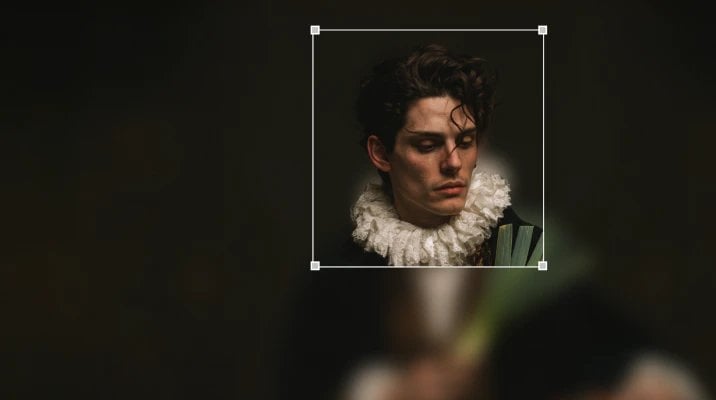
Another widespread assumption is that AI image creation starts and ends with typing a sentence into a box. Artlist’s image tools go further, offering image editing with split layers, background removal, and generation that begins from existing visuals rather than text alone. That means a creator can start from a photograph, adjust it, and regenerate elements without discarding the original composition.
GPT Image 2.5, part of the Artlist AI suite, supports 4K image generation and editing through two distinct modes, Flare for speed and Sunburst for precision. Having two modes suggests that image generation already accounts for different creative priorities, not a single fixed process. Nano Banana 2 and Nano Banana Pro extend this further, with one geared toward fast, cost-effective creation and the other toward advanced detail and consistency.
Why AI Voiceover Quality Differs from Human Performance
Voice generation carries its own set of myths, chief among them the idea that synthetic voices now sound indistinguishable from human narration in every context. Artlist offers studio-quality voiceover generation across every major language, which covers a wide range of narration and localization needs. That breadth is a genuine capability, not an exaggeration.
However, breadth of language support is not the same claim as emotional nuance matching a trained performer. The facts describe quality and language coverage, not a claim of total parity with human delivery. Treating those as separate points avoids overstating what voiceover tools currently guarantee.
Kling and Seedance: What These Video Models Really Deliver

Kling and Seedance are frequently mentioned in discussions of AI video generation misconceptions because their marketing can sound more sweeping than their actual feature sets. Kling 4.0 supports 30-second single takes with middle frames used to master the timeline, which is a specific structural feature rather than unlimited scene generation. Kling 3.0, by comparison, is described in terms of cinematic control, longer narrative flow, and strong visual consistency.
Seedance follows a similar pattern of distinct, named capabilities. Seedance 2.5 generates 30-second videos and accepts up to 50 references for greater creative control. Seedance 2.0 is built by ByteDance and is described as offering total creative control for complex, multi-shot scenes. These are concrete, differentiated tools, not interchangeable versions of the same thing.
The Myth of Zero Learning Curve With AI Creative Workflows
A persistent misconception is that generative tools require no skill investment at all. In practice, working across AI image creation, video generation, voiceover, and music still involves understanding how each tool behaves and how to combine them effectively. Artlist supports this by offering 70 plus ready-made AI effects as presets, which can transform a visual quickly but still require a creator to choose and apply them with intent.
The Artlist AI Plugin, which allows generation directly inside a timeline, is another example of a feature that reduces friction without removing the need for creative judgment. Connecting tools, reviewing outputs, and refining results all remain part of the process. That is a different claim from suggesting that AI creative workflows involve no learning at all.
How AI Presets and Flows Streamline Rather Than Replace Creative Control
Flows, which connect AI tools into a single, reusable creative pipeline, illustrate how automation in this space is designed to support repeatable processes rather than eliminate decision-making. A creator still chooses which tools feed into a Flow and what the end goal looks like. The pipeline speeds up repetition, not judgment.
Similarly, 3D generation from text or images expands what a single creator can produce, but it does not remove the need to evaluate whether a generated model fits the project. These features point toward a broader truth about the category: automation and creative control are not opposites, they work together when the tools are used deliberately.
- Many assume a single prompt can produce a finished, polished video without any further editing or direction.
- Some believe AI-generated voiceovers already sound fully identical to professional human narration across all languages.
- A common false belief holds that all AI video models offer the same shot length and reference capabilities.
- Many think presets and automated pipelines eliminate the need for any creative decision-making.
- Some assume AI image tools only work from text prompts and cannot start from an existing photograph or layered file.
- A frequent misconception is that adopting generative tools requires no understanding of how each feature actually behaves.
Clearing up these AI video generation misconceptions does not mean dismissing the category’s real capabilities. Tools like those bundled under Artlist, spanning AI video, AI image, voiceover, music, and connective Flows, demonstrate a maturing set of options built for deliberate use. Recognizing both what these tools do and where their limits sit is what lets creators apply them with realistic expectations rather than hype-driven assumptions.
