
Share This Article
Managing video editing, PDF tools, and data recovery across different apps can feel disjointed and time consuming. This Wondershare review explores how the platform brings multiple tools into one place, helping users handle creative and practical tasks without switching between software. If you are looking for a versatile digital toolkit that balances ease of use with strong features, this guide will help you understand what to expect.
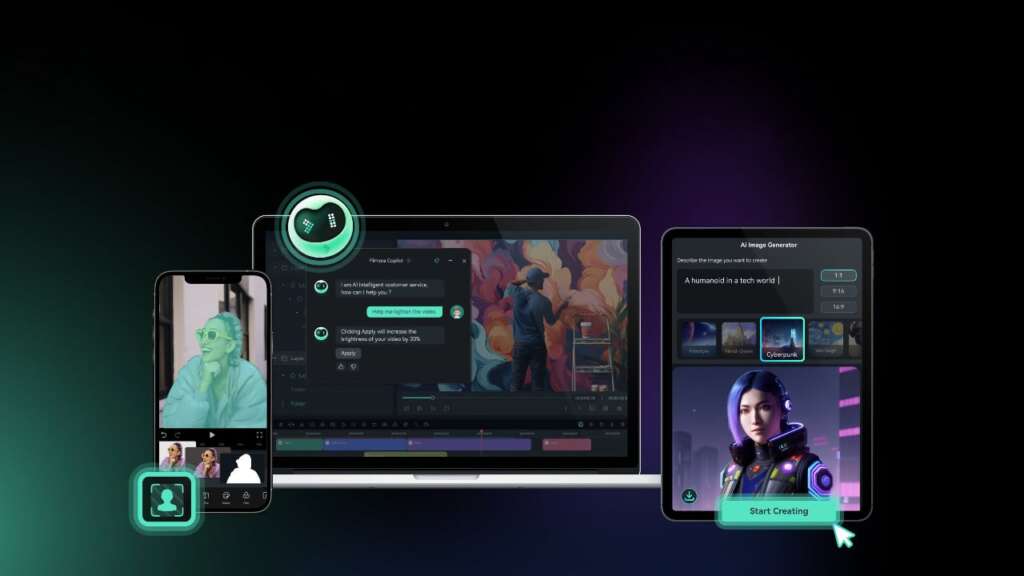
A Unified Platform For Everyday Digital Needs
Wondershare offers a broad range of tools designed for individuals who want flexibility without complexity. Instead of downloading separate apps for each task, users can access video editing, PDF management, and utility tools within one ecosystem.
The layout across products stays consistent, which makes it easier to move between tools without relearning workflows. This is especially useful for users who regularly switch between creative and productivity tasks.
You can explore the full suite directly on the Wondershare where the range of tools is clearly organized for different needs.
Video Editing That Feels Accessible

One of the standout areas in this Wondershare review is its video editing software. Tools like Filmora are designed for users who want polished results without a steep learning curve.
The interface is clean and easy to navigate, making it suitable for beginners while still offering advanced features for more experienced users. Editing timelines, effects, and transitions are simple to apply, which helps speed up the creation process.
Key highlights include
- Drag and drop editing for faster workflow
- Built in effects and templates for quick customization
- Export options optimized for different platforms
For content creators or small businesses, this makes video production more manageable without requiring professional level expertise.
Practical PDF Tools For Daily Use
Handling PDFs can often be frustrating when tools are limited or difficult to use. Wondershare addresses this with its PDF solutions that focus on editing, converting, and organizing files efficiently.
You can edit text, convert documents, and merge files without needing multiple programs. This makes it easier to manage documents in both personal and professional settings.
Useful features include
- Easy text and image editing within PDFs
- File conversion to and from multiple formats
- Tools for combining and organizing documents
These capabilities help streamline document workflows, especially for users who deal with files regularly.
Data Recovery And Utility Features
Another important part of this Wondershare review is its data recovery and utility tools. Losing files can be stressful, and having a reliable recovery option can make a significant difference.
Wondershare provides solutions that help recover deleted files from various devices, including computers and external storage. The process is guided and does not require technical expertise.
What makes this useful
- Recovery options for different file types
- Step by step guidance during the process
- Compatibility with multiple devices
These tools add practical value beyond creative features, making the platform more versatile overall.
Ease Of Use Across The Entire Ecosystem
One of the strongest aspects of Wondershare is how it maintains a consistent user experience across its products. This reduces the learning curve and allows users to focus on completing tasks rather than figuring out new interfaces.
Navigation remains straightforward, and most tools follow similar design patterns. This consistency helps users become more efficient over time.
Why this matters
- Less time spent learning new software
- Smoother transitions between tools
- Better overall productivity
You can see how this unified experience works in practice by visiting the Wondershare , where the ecosystem is presented as a connected suite rather than isolated tools.
Who Wondershare Is Best Suited For
Wondershare works well for users who want multiple capabilities without managing several subscriptions or platforms. It is particularly useful for those who value convenience and flexibility.
It is a good fit for
- Content creators who need simple video editing tools
- Professionals managing documents and PDFs
- Users looking for reliable data recovery solutions
If your workflow currently relies on separate tools for each task, switching to an all in one platform like Wondershare can simplify daily operations.
Final Thoughts On Wondershare
This Wondershare review shows that the platform delivers a balanced mix of creative and practical tools in a single ecosystem. It focuses on usability while still offering enough depth to handle a variety of tasks.
The ability to edit videos, manage documents, and recover data within one platform reduces the need for multiple subscriptions. This makes it a convenient option for individuals who want efficiency without sacrificing functionality.
