
Share This Article
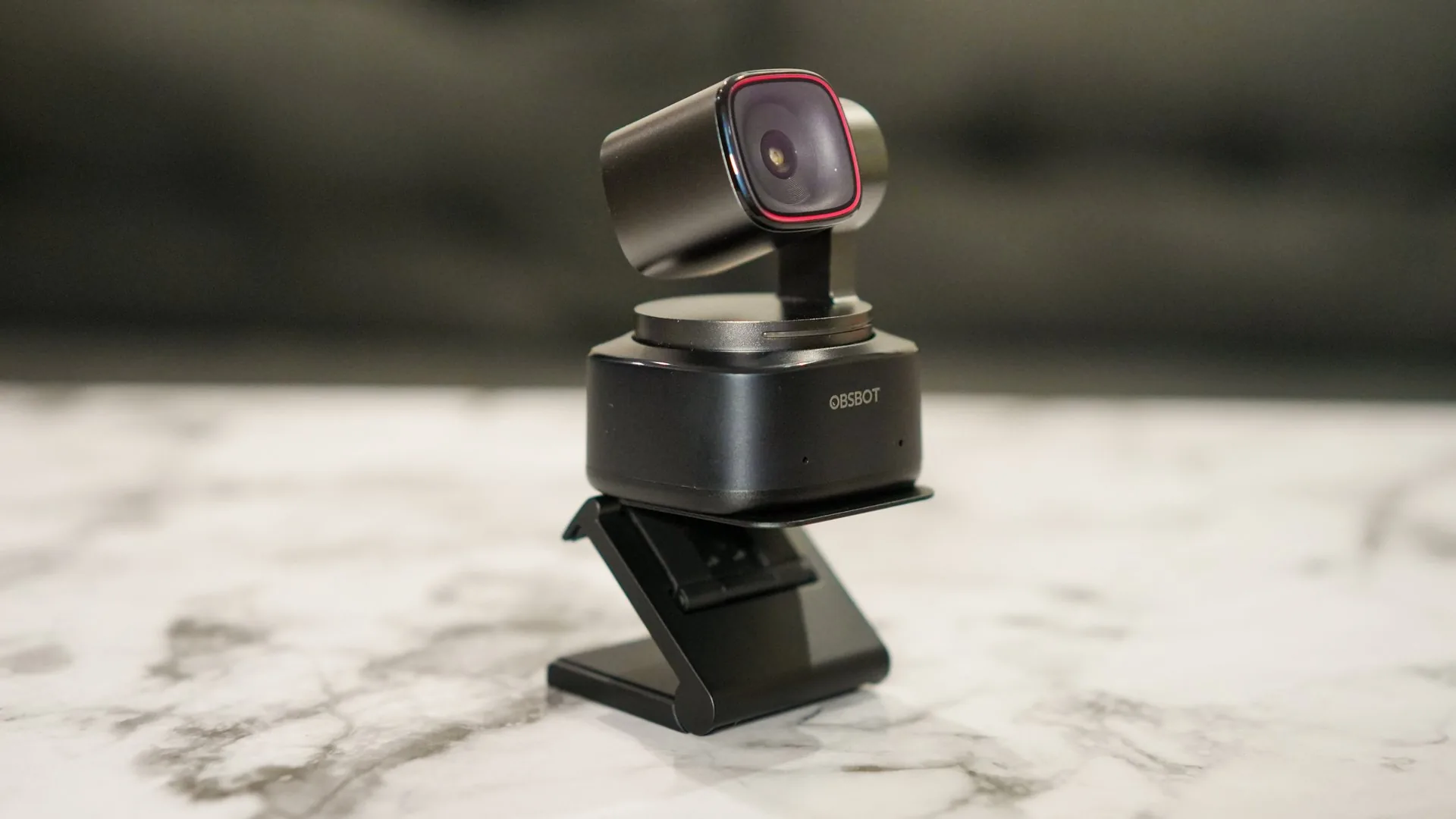
OBSBOT offers smart camera products for creators, professionals, streamers, educators, and remote workers who want better video quality with less manual setup. Its product range focuses on AI-powered webcams, tracking cameras, video bars, streaming cameras, and accessories that help users look clearer, stay centered, and create smoother video experiences.
The brand is especially useful for people who rely on video every day. Whether someone is joining work calls, teaching online, recording content, hosting livestreams, or filming presentations, its products can help make video feel more polished and easier to manage.
Keypoints
- The brand offers AI webcams, tracking cameras, video bars, streaming cameras, and camera accessories.
- AI tracking can help keep users centered during calls, presentations, lessons, and livestreams.
- High-resolution video support can improve clarity for meetings, content creation, and remote teaching.
- Gesture controls and smart framing features can reduce the need for manual camera adjustment.
- The range suits creators, streamers, teachers, remote workers, presenters, and small business teams.
A Product Range Built Around Smart Video
The main appeal of OBSBOT is that its products are designed to make video communication easier and more professional. Many users rely on built-in laptop cameras, but those cameras often have limited image quality, fixed angles, and poor framing. A dedicated smart camera can improve the way someone appears during calls, recordings, and streams.
AI tracking is one of the most useful product features. Instead of staying fixed in one position, a smart tracking camera can follow the user as they move. This is helpful for teachers writing on boards, presenters walking during demonstrations, fitness instructors moving through exercises, or creators filming hands-free content. The camera can keep the subject framed without needing another person behind the lens.
Webcams are another important part of the range. A high-quality webcam can improve remote meetings, interviews, webinars, and daily video calls. Better resolution, improved low-light performance, and smarter framing can help users look more prepared and professional, even in home office setups.
Video bars and conference-focused products can support teams and small meeting rooms. These products may combine camera, microphone, and speaker features to make group video calls cleaner and easier. For businesses using hybrid work, a better meeting camera can make remote collaboration feel more natural.

Why the Products Suit Different Users
Products from OBSBOT can suit different users because video needs vary. A remote worker may want a clear webcam for meetings. A streamer may need smooth tracking and strong image quality. A teacher may want hands-free movement. A business team may need a video bar for conference calls.
For remote workers, the value comes from better presentation. A clear camera can make everyday calls feel more polished. Auto framing can keep the user centered, while better image quality can make communication feel more natural. This is useful for client meetings, team calls, interviews, and presentations.
For content creators, smart camera features can save time. A creator who records tutorials, product demos, unboxings, or talking-head videos may not want to adjust the camera constantly. AI tracking, gesture controls, and flexible mounting options can help them film more smoothly.
For educators and trainers, movement matters. A teacher may need to move between a desk, board, and demonstration area. A fitness instructor may need to stay visible while moving through routines. A tracking camera can support this kind of teaching without requiring a camera operator.
For streamers, video quality and reliability are important. A smart webcam can improve how the stream looks, while tracking and framing features can keep the setup more dynamic. This can help livestreams feel more professional and engaging.
Popular Product Types and Uses
The product range from OBSBOT supports several video communication and content creation needs.
- AI webcams help improve video calls, interviews, remote work, and online meetings.
- Tracking cameras keep users framed while they move during presentations, lessons, and streams.
- Streaming cameras support creators who need clearer video and more flexible filming options.
- Video bars can improve small meeting room calls with better camera and audio support.
- Gesture controls allow users to manage camera actions without touching the device.
- Camera accessories help with mounting, positioning, portability, and setup flexibility.
These product types are useful because they match common video workflows. A user may need a simple webcam for work, a tracking camera for teaching, or a more advanced setup for content creation. The range supports both everyday calls and more polished production needs.

Pros and Cons of the Product Range
One clear advantage of OBSBOT products is smart automation. AI tracking and auto framing reduce the need for constant adjustments. This helps users focus on speaking, teaching, presenting, or creating rather than worrying about whether they are centered on screen.
Another benefit is improved video quality. A dedicated camera can offer better clarity than many built-in laptop cameras. This can make a difference in professional settings where first impressions matter. Good video quality can also improve content creation and online teaching.
The range is also versatile. Products can be used for work calls, webinars, livestreams, product demos, fitness classes, online lessons, podcasts, and hybrid meetings. This makes the devices useful for both professional and creative routines.
There are a few possible drawbacks. Smart camera features may require setup, software, firmware updates, or compatibility checks. Users should make sure the camera works with their computer, operating system, video platform, and preferred apps before buying.
Another consideration is lighting. Even a strong camera performs better with good lighting. Customers may still need a proper desk lamp, ring light, or bright room to get the best result. Camera quality matters, but the environment also affects video.
Cost can also be a factor. AI-powered cameras may cost more than basic webcams. The value depends on how often the customer uses video and whether smart features will genuinely improve their workflow.
How the Products Fit Work, Teaching, and Creation
Products from OBSBOT fit naturally into modern routines because video has become part of work, education, and creativity. A remote worker may use a webcam every morning for meetings. A teacher may record lessons. A streamer may go live several times a week. A creator may film content for different platforms.
For home offices, an AI webcam can make the setup feel more professional. The user can place the camera at a better angle, improve framing, and look clearer during calls. This is especially useful for people who meet clients or attend frequent video meetings.
For classrooms and training spaces, tracking cameras can support movement. Instead of staying seated in front of a laptop, the presenter can move naturally while staying in frame. This makes lessons and demonstrations more dynamic.
For content creation, smart video products can help reduce production friction. A creator can film alone with more confidence because the camera can follow movement and manage framing. This is useful for tutorials, reviews, livestreams, and educational videos.
For meeting rooms, video bars can support hybrid collaboration. A better camera and audio setup can help remote participants see and hear more clearly, making group calls feel less disconnected.
Final Thoughts
OBSBOT offers smart video products for customers who want better online meetings, livestreams, lessons, presentations, and content creation. Its AI webcams, tracking cameras, video bars, streaming cameras, gesture controls, and accessories can help users look clearer and stay better framed with less effort.
The brand’s biggest strength is intelligent video support. Its products help reduce manual camera adjustments and make video communication feel more polished. While shoppers should check compatibility, lighting needs, software requirements, and budget before buying, the range offers useful options for anyone looking for AI webcams, smart tracking cameras, and video tools that fit modern work and creative routines.
