
Share This Article
An RTX 50 Series gaming PC can mean very different things depending on which card occupies the slot, from an RTX 5070Ti build to a flagship RTX 5090 rig. Stormforce Gaming lists several of these configurations across desktop and laptop ranges, each pairing a specific GPU with a matched CPU and memory setup. Picking the right RTX 50 Series gaming PC means checking memory capacity, bandwidth, and processor pairing rather than relying on the model name alone, since those figures shift between chassis even when the GPU name stays the same.
RTX 50 Series Architecture and Core Specifications
Every card in the RTX 50 Series is built on NVIDIA’s Blackwell architecture, which replaces the previous Ada Lovelace generation. Blackwell brings redesigned RT Cores, updated Tensor Cores, and a larger AI processing budget across the stack. That shift underpins DLSS 4 and the frame generation features NVIDIA markets alongside the range. Within Stormforce Gaming‘s catalogue, the Aviator Flight Intel combines an Intel Core Ultra 7 270K Plus with an RTX 5070Ti and 32GB of DDR5 6000 memory, while the Nexus Stream AMD pairs an RTX 5090 with an AMD Ryzen 9 9950X3D and steps up to 64GB of DDR5 6000.
RTX 5070Ti vs RTX 5080: Memory, GDDR7, and Bandwidth Differences
Memory capacity is the clearest way to separate these two cards, and the same model name does not always carry the same figure across desktop and laptop chassis. The RTX 5070Ti in the Aviator Flight Intel desktop carries 16GB, whereas the RTX 5070Ti fitted to the ExoBook i9 RTX 5070Ti laptop carries 12GB, a gap worth checking before assuming the two variants match. The RTX 5080, by contrast, appears in the ExoBook 16 RTX 5080 with 16GB of dedicated memory next to an Intel Core Ultra 9 275HX processor. Anyone comparing a desktop configuration against a laptop equivalent from Stormforce Gaming should treat the memory line as chassis-specific rather than assuming it from the GPU name.
DLSS 4.0 and Ray Tracing Performance Across RTX 50 Series Models
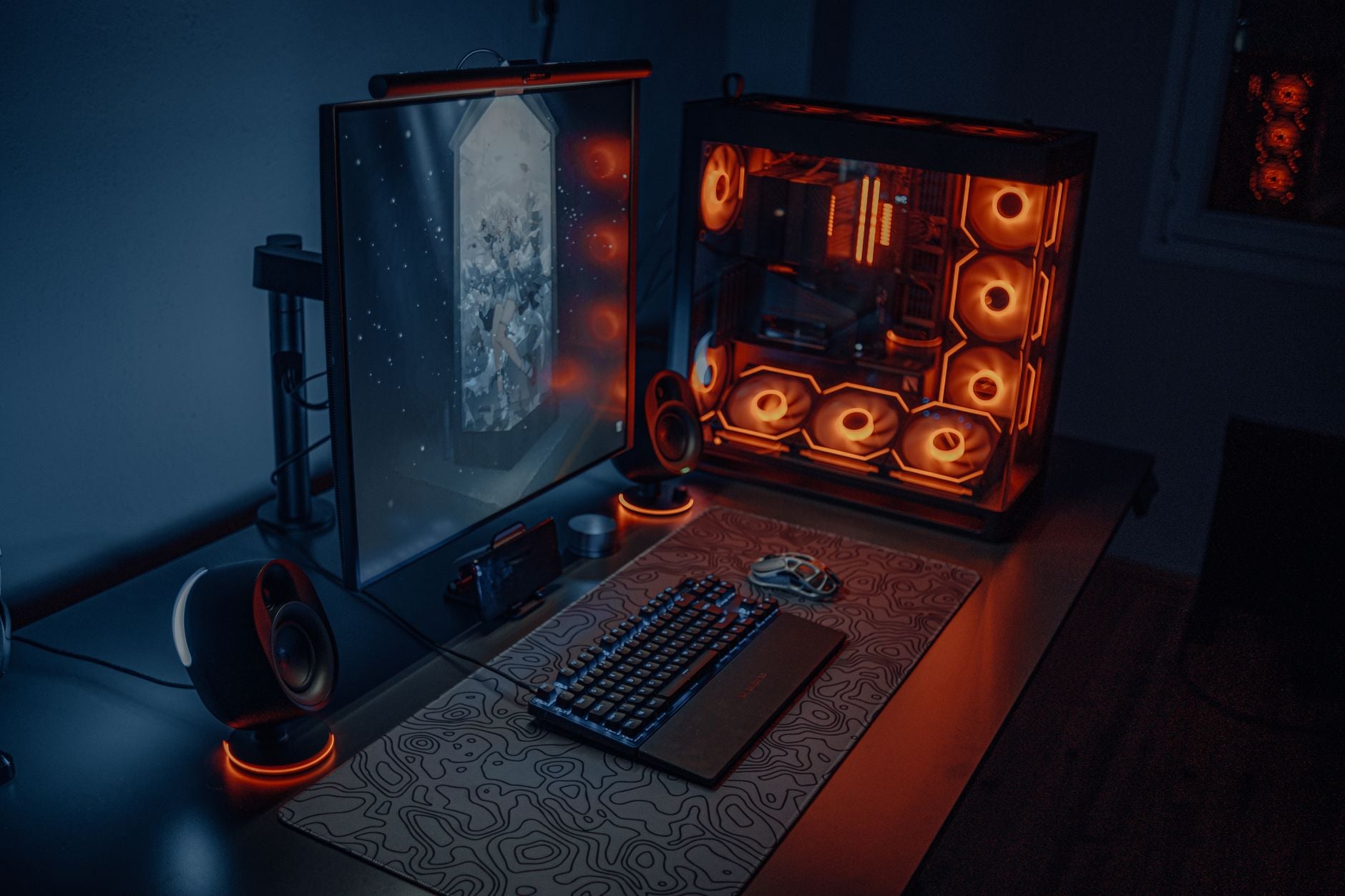
NVIDIA positions DLSS 4 as a feature of the entire 50 Series range, not something reserved for the top card. Stormforce Gaming‘s own product pages describe RTX 50 Series systems as unlocking ray tracing, fast frame rates, and DLSS 4 performance as standard. On laptops specifically, the brand references DLSS 4 alongside Max-Q optimisation, aimed at balancing performance against battery life and chassis thickness. In practice, how far ray tracing and DLSS scale up still depends on the GPU installed, since higher memory and more RT cores support heavier ray-traced scenes without a resolution drop.
Thermal Behavior and Power Delivery in Stormforce Gaming’s RTX 50 Series Builds
Thermal management becomes more relevant as GPU memory and core counts rise, because larger chips driving more memory generally need sustained power delivery. Stormforce Gaming‘s desktop range includes watercooling through the Corsair Hydro X Series, including the XG7 RGB GPU water block, which cools the GPU core, memory, and power circuitry directly. The Hydro X Series also includes the XD5 RGB pump and reservoir combo, built around a PWM-controllable D5 pump with a 330ml reservoir that manages coolant flow and noise. These components are available for custom builds rather than tied to one fixed model, giving a route to manage thermals on higher-draw configurations such as the Nexus Stream AMD’s RTX 5090.
ExoBook Gaming Laptops: RTX 5070Ti and RTX 5080 Portable Configurations

The ExoBook range brings RTX 50 Series graphics into a laptop chassis, with two configurations standing out. The ExoBook i9 RTX 5070Ti combines an Intel Core i9-14900HX with the 12GB RTX 5070Ti, 32GB of DDR5 5600 memory, and a 2TB M.2 NVMe SSD, listed with Next Day Delivery. The ExoBook 16 RTX 5080 swaps in an Intel Core Ultra 9 275HX and the 16GB RTX 5080 while keeping the same 32GB DDR5 5600 memory and 2TB NVMe storage, and both laptops fall under a two-year warranty rather than the three-year collect, repair, and return cover applied to desktop systems.
CPU Pairing Strategy for RTX 50 Series Graphics in Desktop Systems
Processor choice influences how much of a 50 Series GPU’s potential actually gets used, particularly at higher resolutions where the GPU carries most of the workload. The Lunar Elite Intel PZ PBM takes a different route from the Aviator Flight Intel and Nexus Stream AMD builds, combining an Intel Core i7-14700 with an MSI RTX 5070 12G card rather than a 5070Ti or 5080. That spread across the lineup shows how a custom configurator from Stormforce Gaming lets processor and GPU choices move independently instead of locking buyers into one fixed combination. As a result, two systems listed under the same brand can end up with noticeably different balance between CPU and GPU, even when the RTX 50 Series gaming PC badge applies to both.
- The RTX 5070Ti appears in Stormforce Gaming’s lineup with either 16GB of memory in the Aviator Flight Intel desktop or 12GB in the ExoBook i9 RTX 5070Ti laptop.
- The RTX 5080 is listed with 16GB of memory in the ExoBook 16 RTX 5080, paired with an Intel Core Ultra 9 275HX processor.
- The RTX 5090 reaches 32GB of memory in the Nexus Stream AMD desktop, matched with an AMD Ryzen 9 9950X3D CPU and 64GB of DDR5 6000 system memory.
- All three GPUs share the same Blackwell architecture generation, meaning the core feature set like DLSS 4 stays common across the range even as memory capacity scales.
- Storage allocations scale alongside GPU choice in some builds, with the Nexus Stream AMD including 4TB of M.2 NVMe SSD plus a 2TB HDD compared to the 2TB NVMe drives found in the Aviator Flight Intel and both ExoBook laptops.
Matching a GPU, CPU, and memory configuration to a specific workload remains the deciding factor across any RTX 50 Series gaming PC lineup.
