
Share This Article
Video editing often starts with excitement and ends in confusion. Complex timelines, overwhelming tools, and steep learning curves can quickly turn a simple idea into a frustrating task. That’s exactly the gap Filmora by Wondershare is designed to fill. Instead of catering only to professionals, Filmora focuses on making video editing accessible without stripping away the features that actually matter. The result is a tool that feels approachable from the first click but still capable enough to handle more ambitious projects as you grow.
Filmora video editor simplifies editing without dumbing it down
Filmora by Wondershare stands out because it manages to simplify the editing process without making it feel limited. The interface is clean and intuitive, allowing users to drag, drop, and arrange clips without needing hours of tutorials. Filmora keeps essential tools front and centre, so you can focus on building your video rather than searching for features. At the same time, Wondershare does not remove depth entirely. As you explore further, you will find layers of controls that allow for more refined edits. This balance makes Filmora especially appealing to users who want to learn gradually without feeling overwhelmed.
Built-in effects and templates that actually save time
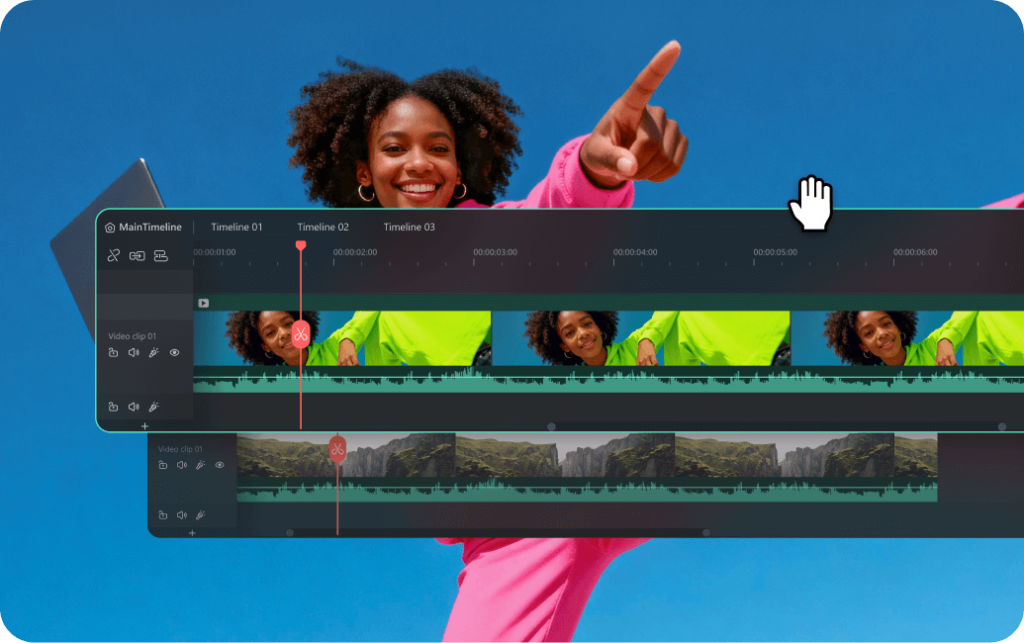
One of the biggest advantages of Filmora is how it handles effects and templates. Instead of expecting users to create everything from scratch, Wondershare includes a wide library of pre-built transitions, filters, and motion elements. Filmora makes it easy to apply these features with minimal effort, which speeds up the editing process significantly. This is particularly useful for content creators who need to produce videos regularly. While some advanced editors prefer full control, Filmora focuses on efficiency, helping users achieve polished results without spending hours fine-tuning every detail.
Performance that suits both casual and consistent creators
Editing software can quickly become frustrating if it struggles with performance, but Filmora by Wondershare is designed to run smoothly on a wide range of systems. It does not demand high-end hardware to function effectively, which makes it accessible to more users. Filmora handles everyday editing tasks with ease, from trimming clips to adding audio and effects. For heavier projects, it still performs reliably, though it may not match the speed of more advanced professional tools. Wondershare positions Filmora as a middle ground, offering solid performance without requiring a full studio setup.
Who Filmora by Wondershare is really for
Filmora is best suited for beginners, content creators, and small business users who want a reliable editing tool without a steep learning curve. Wondershare has clearly designed Filmora for people who value ease of use but still want their videos to look professional. It works well for social media creators, YouTubers, and anyone producing regular video content. However, for high-end production work or complex cinematic projects, Filmora may feel slightly limited compared to advanced editing suites. It is a tool built for practicality rather than extreme precision.
The trade-off between ease of use and advanced control
The simplicity of Filmora is one of its biggest strengths, but it also defines its limits. Wondershare prioritises usability, which means some advanced editing features are less detailed than those found in professional-grade software. Filmora offers enough control for most users, but those who need deep customisation or complex workflows may find it restrictive. For the majority of everyday creators, this trade-off feels reasonable. Filmora focuses on getting the job done efficiently rather than offering every possible editing option.
Filmora compared to traditional professional editing software

When compared to more traditional editing tools, Filmora by Wondershare takes a noticeably different approach. Professional software often prioritises depth and precision, which can come at the cost of usability. Filmora flips that equation by focusing on accessibility first. Wondershare ensures that users can start editing almost immediately, without extensive setup or training. While it may not replace high-end software for advanced users, Filmora provides a more approachable alternative that covers most common editing needs with far less friction.
Why Filmora works so well for modern content creation
Content creation today moves quickly, and Filmora fits naturally into that pace. Wondershare understands that many users need to produce videos regularly, often under time constraints. Filmora supports this by streamlining the editing process and reducing unnecessary complexity. The built-in assets and easy-to-use tools allow creators to focus on storytelling rather than technical details. This makes Filmora particularly effective for social media platforms, where speed and consistency matter as much as quality.
A practical editing tool that grows with your skills
Filmora by Wondershare is not trying to be the most advanced editing software on the market. Instead, it aims to be the most usable for a wide range of people. Filmora offers a clear entry point for beginners while still providing enough depth to keep users engaged as their skills improve. For those who want a straightforward, reliable, and efficient editing experience, Wondershare delivers a tool that feels genuinely useful rather than overwhelming.
