
Share This Article
Universal file viewers attract both excessive praise and unfair skepticism, often within the same conversation. Some assume one program can replace an entire software collection, while others doubt it can open much of anything. File viewer multi-format support sits between those two extremes, and the published feature list tells a clearer story than either myth.
Myth: A Universal File Viewer Can Replace All Specialized Software
A common assumption is that a single file utility can fully substitute dedicated programs for every task. That is not how file viewer plus positions itself. It opens, edits, saves, and converts files across many categories, but it does not claim to match the depth of a dedicated video editing suite or a full CAD design package.
Instead, the software focuses on viewing and handling files across formats encountered daily. Documents, images, audio, video, archives, and source code all fall under one roof. For many everyday tasks, that breadth is the point, not a replacement for specialized tools used in professional production work.
Myth: File Viewer Plus Opens Every File Format in Existence
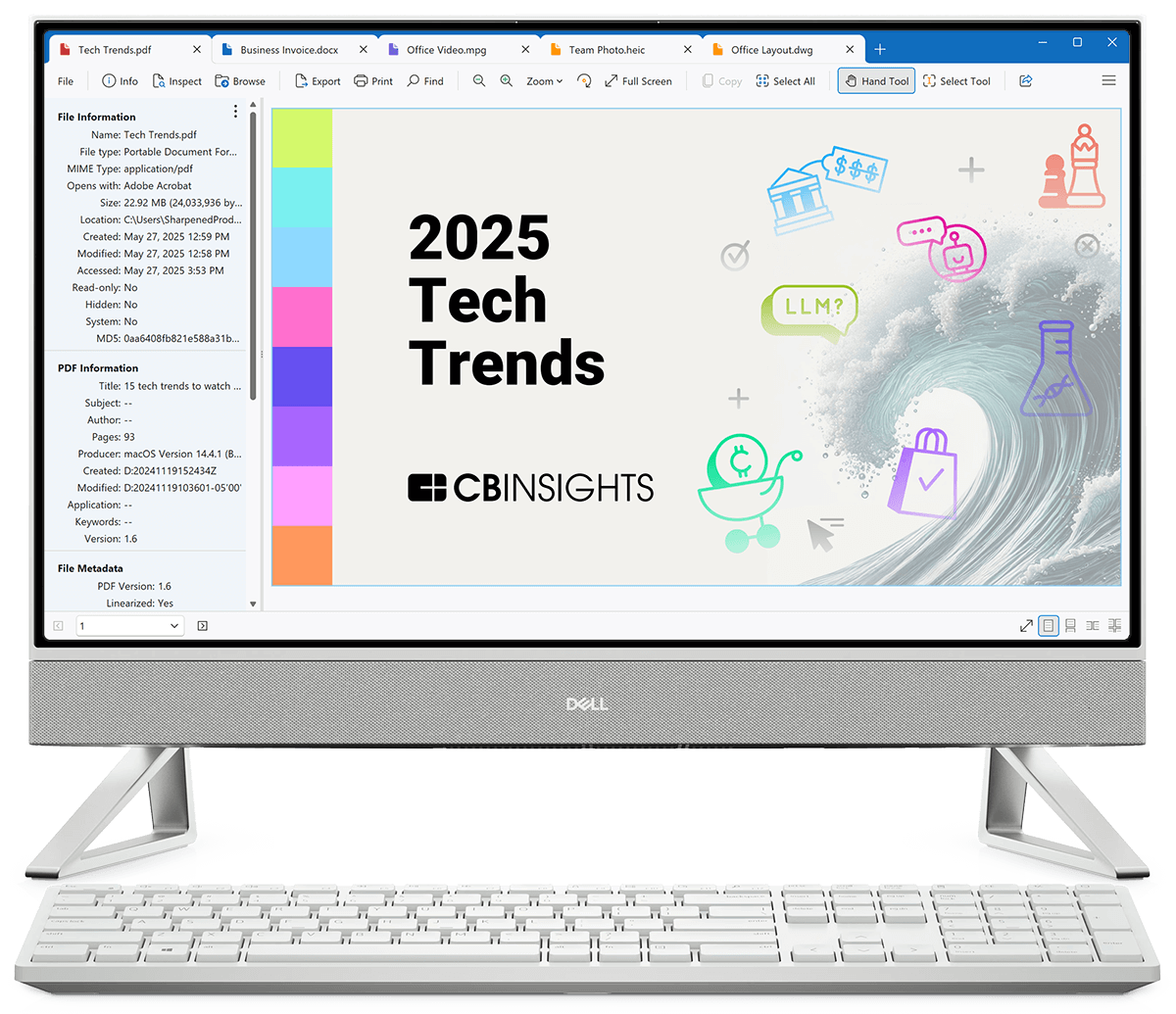
Another misconception treats the phrase “400+ formats” as meaning literally every file type that exists. In reality, the number refers to a defined and published list covering text, PDF and XPS, spreadsheets, presentations, Visio and Project files, CAD, images, audio, video, archives, email, web, and source code formats. File viewer multi-format support, in this sense, is extensive yet specific and documented rather than unlimited, spanning categories from Visio drawings to web and email files.
The supported file types page lists formats individually, down to legacy Word documents, OpenDocument files, and PowerPoint templates. That level of detail matters because it shows coverage is cataloged rather than vague. Checking that list is a more reliable way to confirm compatibility than assuming a universal viewer handles absolutely anything thrown at it.
What File Viewer Plus Actually Does: View, Edit, Save, and Convert

file viewer plus centers on four linked actions, namely viewing, editing, saving, and converting, and it chains them into real workflows rather than treating each as a separate gimmick. A new Word document can be created and then saved as a PDF. A PDF can be opened and converted into an editable Word document, a feature introduced in version 6. These are concrete workflows, not abstract promises about compatibility.
Images get similar treatment within file viewer plus. A camera raw image can be edited and exported as a JPEG, and the program also supports DICOM files alongside standard formats like JPG, PNG, and GIF. On top of that, audio and video files can be played through the built-in media player and converted to different formats using the built-in converter.
- Some assume multi-format support means editing quality matches dedicated software for every file type, which the brand does not claim.
- Others assume a universal viewer cannot edit at all and only displays files, overlooking the built-in word processor and image editor.
- There is a false belief that batch conversion handles unlimited file types at once rather than the formats the software specifically supports.
- Many people assume opening a file and being able to export or convert it are the same capability, when they are listed as separate functions.
- A frequent misunderstanding treats archive decompression as identical across tools, ignoring that selective file decompression is a distinct, named feature here.
The Built-in Tools That Come With File Viewer Plus 6
Version 6 of file viewer plus bundles several named tools rather than one generic viewer window. These include a file manager, office editor, PDF converter, image viewer, media player, archive extractor, and file inspector. Each tool addresses a different file category, which is part of why the file viewer multi-format support claim holds up under scrutiny.
The file inspector deserves a mention because it addresses a specific pain point. It can identify unknown files, including ones without a file extension at all. That is a narrow but genuinely useful function that goes beyond simply opening files that are already labeled correctly.
Source code files are also covered through a built-in source code editor, letting developers view and edit code without switching to a separate program for quick checks. CAD drawings and embroidery files can be viewed and exported as well. These additions show the range extends past typical office and media formats into more specialized file types.
File Manager and Batch Conversion: Features Often Misunderstood
The file manager included in file viewer plus 6 is sometimes mistaken for a simple file browser. However, it goes further by allowing files and folders to be renamed, moved, copied, and deleted directly within the program. That turns the software into an organizational tool, not just a window for previewing documents.
Batch conversion is another area prone to misunderstanding. People sometimes expect it to convert any file into any other format without restriction. In practice, the batch converter processes many files at once within the formats the program already supports, converting thousands of files in one operation rather than one at a time.
Archive handling follows the same pattern. The software decompresses formats including ZIP, 7Z, RAR, and JAR, and it allows selective decompression of files within an archive. That means a single file can be pulled out of a compressed folder without extracting everything else alongside it.
Seen this way, the gap between a cure-all myth and a genuinely useful utility narrows considerably.
