
Share This Article
In today’s digital world, email remains one of the most essential tools for communication, productivity, and business management. With users managing multiple accounts across work and personal life, the demand for fast, secure, and customizable email solutions continues growing. Aqua Mail has positioned itself as a powerful all-in-one email application designed to simplify inbox management while prioritizing privacy, flexibility, and performance.
Trusted by millions of users worldwide, Aqua Mail delivers a seamless email experience through advanced customization, strong security features, and support for virtually all major email providers.
A Modern Solution for Email Management
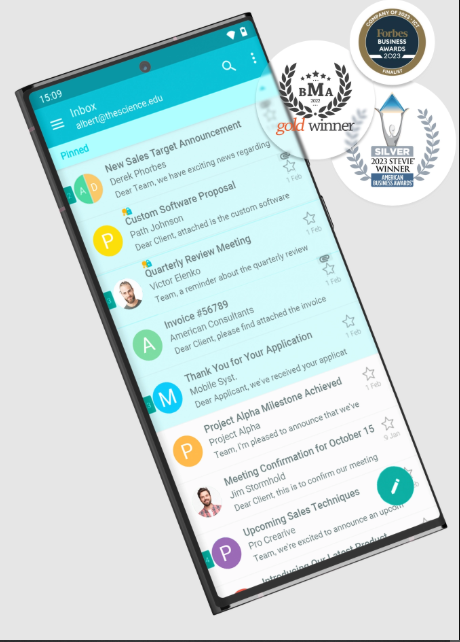
Managing multiple email accounts across different platforms can quickly become overwhelming. Switching between apps, organizing messages, and maintaining productivity often creates unnecessary complexity.
Aqua Mail addresses these challenges by allowing users to manage unlimited email accounts within a single application. The app supports:
- Gmail
- Yahoo Mail
- Outlook
- Exchange
- IMAP mailboxes
- POP3 accounts
- Custom domain email services
This unified approach helps users streamline communication while improving efficiency and organization.
All Email Accounts in One Inbox

One of Aqua Mail’s standout features is its ability to combine multiple email accounts into one centralized inbox. Instead of checking separate apps or constantly switching accounts, users can access all messages from a single interface.
Benefits of this system include:
- Faster email management
- Simplified organization
- Improved workflow efficiency
- Easier account monitoring
- Better multitasking
Whether for personal use, business communication, or managing multiple clients, Aqua Mail helps users stay connected and organized.
Privacy First Approach
As concerns about digital privacy continue increasing, Aqua Mail places strong emphasis on data protection and user security.
Unlike many cloud-based email platforms, Aqua Mail does not store:
- User passwords
- Email content
- Personal communication data
This privacy-focused model ensures that users maintain greater control over their information while reducing concerns about third-party data access.
Security Features Include:
- Secure login systems
- End-to-end encryption support
- Protected account authentication
- Safe email management
- Enhanced privacy controls
For users who prioritize confidentiality and secure communication, these features provide significant peace of mind.
Extensive Customization Options
One of the key reasons behind Aqua Mail’s popularity is its high level of personalization. The app offers hundreds of customizable settings that allow users to tailor the email experience according to their workflow and preferences.
Customization options include:
- Personalized themes
- Notification controls
- Signature management
- Folder organization
- Swipe actions
- Smart inbox settings
- Display customization
This flexibility makes Aqua Mail suitable for both casual users and professionals with complex email management needs.
Powerful Features for Productivity
Aqua Mail goes beyond standard email functionality by integrating advanced productivity tools that improve communication efficiency.
Smart Folder Organization
Users can organize emails intelligently using smart folders that simplify inbox navigation and prioritization.
Email Reminders
Important messages can be pinned or assigned reminders, ensuring that critical tasks are not forgotten.
Priority Notifications
Custom notification settings help users focus on urgent emails while minimizing distractions.
Rich Text Editing
The app supports rich text formatting, allowing users to create professional and visually polished emails.
Large Attachment Support
Aqua Mail simplifies the process of sending and receiving large files across accounts.
These tools help users maintain productivity while handling high email volumes more effectively.
Seamless Business and Exchange Support
For professionals and enterprise users, Aqua Mail offers strong compatibility with Microsoft Exchange and business email systems.
Features such as:
- Push notifications for Exchange
- Contact synchronization
- Calendar syncing
- Mail identities
- Advanced filtering systems
make the app especially useful for business communication and remote work environments.
Built for Performance and Reliability
Aqua Mail emphasizes stability, speed, and regular software updates to ensure a smooth user experience across Android devices.
The app’s strong reputation is supported by:
- Millions of downloads
- High user ratings
- Responsive performance
- Continuous feature improvements
- Reliable inbox synchronization
Its lightweight design and efficient performance help users manage email without unnecessary lag or complexity.
Why Users Choose Aqua Mail
Aqua Mail continues attracting users because it successfully combines:
- Powerful email management
- Advanced privacy protection
- Deep customization
- Multi-account convenience
- Business-friendly tools
For many users, the app serves as a complete communication hub that improves productivity while maintaining simplicity and control.
The Future of Email Applications
As digital communication evolves, email apps are expected to integrate even more intelligent features, including:
- AI-powered inbox organization
- Advanced spam filtering
- Productivity automation
- Smarter search capabilities
- Enhanced encryption systems
Aqua Mail’s focus on customization, privacy, and performance positions it well within the future of professional and personal communication tools.
Final Thoughts
Aqua Mail represents a modern approach to email management — combining security, flexibility, and efficiency into one powerful platform. By supporting unlimited accounts, advanced customization, and privacy-focused communication, the app helps users stay organized and productive in an increasingly connected world.
