
Share This Article
Recording a conversation that mixes remote guests with people sitting in the same room has long meant juggling cameras, microphones, and separate capture devices. Multicam recording software is designed to remove that friction by syncing every participant’s feed, whether they dial in from across the world or sit across the table. Riverside approaches this by keeping each track separate and locally captured, which changes how hybrid shows get produced.
What Hybrid and In-Person Recording Means in Riverside
A hybrid session typically combines guests joining from a browser with others physically present in a studio or living room. Riverside treats both situations the same way at the recording level, capturing individual tracks for every person regardless of location. That means a host does not need a separate in-person recording rig layered on top of a video call tool to make this work.
In-person participants can join the same studio session as remote guests, and each person still gets an isolated audio and video file. This matters because hybrid formats, such as a studio interview with an outside expert calling in, require that footage line up cleanly later. That structure stays intact from the first second of capture, which is the core promise of any multicam recording software built for mixed locations.
Local Recording for Studio-Quality Audio and Video on Every Track
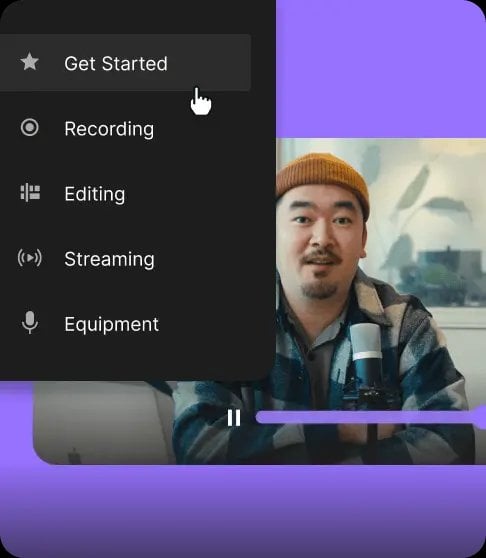
Riverside records locally on each participant’s device before anything reaches the cloud. According to the brand, this captures up to 4K video and uncompressed 48kHz WAV audio, unaffected by a shaky internet connection. Files save first on the device, then upload progressively, so a dropped connection does not ruin the session.
This differs from platforms that rely entirely on cloud-based capture, where quality is tied directly to upload speed in real time. The brand’s documentation notes that tracks are not compressed, leaving raw files for editing. For in-person recording specifically, this also means a camera plugged into a laptop in the same room benefits from the same quality standard as a remote guest’s webcam feed.
Capturing Multiple Cameras and Microphones in One Room

When several people are physically present, the platform still records each of them as an individual track rather than blending the room into a single feed. This is central to what multicam recording software is meant to solve, since editors need control over each voice and face independently. A host and an in-studio guest, for instance, can each have a dedicated microphone and camera captured separately.
That separation carries through to file delivery as well. Riverside‘s recording page describes individual, perfectly in-sync video and audio tracks for each participant, which gives more flexibility in post-production than a single combined recording would. Editors can then adjust one speaker’s volume or trim a mistake without touching anyone else’s track.
Syncing Remote Guests with In-Room Participants
The technical challenge in hybrid formats is keeping remote and in-person feeds aligned in time, so cuts between speakers do not drift out of sync. The structure of separate per-participant tracks, combined with local recording, keeps that timing consistent once everything lands in the cloud. A remote guest’s track and an in-room host’s track are stored and organized together in the same studio session.
This is particularly relevant for formats like interviews, webinars, and panel discussions that mix locations by default. Because podcasts, interviews, and webinars are treated as distinct use cases on the brand’s own site, the underlying recording approach is shared across all of them. As a result, a producer running a hybrid panel does not need a different tool than the one used for a fully remote interview.
- Local recording keeps quality tied to each device rather than to a shared internet connection during the session.
- Separate, uncompressed tracks for every participant give editors more control than a single mixed-down cloud recording.
- Files continue uploading progressively after recording ends, rather than depending entirely on a live stream to the cloud.
- Studios can hold any mix of local and remote participants without requiring a separate hardware mixing setup.
AI-Assisted Editing for Multicam Content
Once a hybrid session is recorded, Riverside offers a text-based editor alongside AI-assisted tools for refining the result. The brand describes features such as removing filler words, correcting speech by syncing voice and lips to a fixed transcript, and adjusting eye contact so participants appear to look at the camera. These tools apply across all tracks in a multicam session, not just a single speaker’s feed.
An AI Co-Creator also generates promotional assets, including clips, posts, and thumbnails, from a finished recording, and for a hybrid show with several speakers this means one session can be turned into multiple pieces of content and reformatted for several destinations without a separate editing pass for each track or platform. The platform also offers AI-generated B-roll from a text prompt, which can supplement footage where a camera angle is missing.
Publishing Recorded Multicam Sessions Across Platforms
After editing, Riverside supports publishing directly to YouTube, Spotify, and Apple, removing a separate export and upload step. Its content planner also allows scheduling and publishing to YouTube, TikTok, Instagram, LinkedIn, X, and Facebook from the same workspace used for recording and editing. Descriptions can be generated automatically based on the actual recorded content, then edited before posting.
The content planner also allows switching aspect ratios in one click, producing platform-ready versions of the same recording. Recordings, live streams, webinars, and scheduled posts stay visible on one calendar, which keeps a hybrid show’s output organized across releases.
Looking Ahead for Hybrid Production
Hybrid formats are becoming a routine part of podcasts, interviews, and webinars rather than an occasional exception. Multicam recording software that keeps remote and in-person tracks equally clean gives producers one less workflow to manage.
