
Share This Article
Logging meals by hand has long meant weighing portions, searching food databases, and guessing at hidden calories. AI nutrition tracking changes that routine by turning a simple photo into a full nutritional breakdown. Nutrivio builds its entire app around this idea, pairing image recognition with nutrient and activity tracking in one place.
How Nutrivio’s AI Photo Recognition Identifies Foods and Portions
Nutrivio lets someone snap a photo, describe a meal in words, or scan a barcode instead of typing every ingredient manually. The app then identifies each food on the plate and estimates portion sizes before calculating calories, protein, carbs, and fats. This removes the back-and-forth of searching a food database for a close match and manually adjusting serving sizes.
Because the process happens right after the photo is taken, there is no need to remember what was eaten hours later. That immediacy is one of the clearer advantages AI nutrition tracking has over paper logs or spreadsheet-based tracking. It applies this same recognition step whether the meal is home-cooked, packaged, or eaten at a restaurant.
Beyond Macros: Tracking Vitamins, Minerals, Fiber and Water with Nutrivio
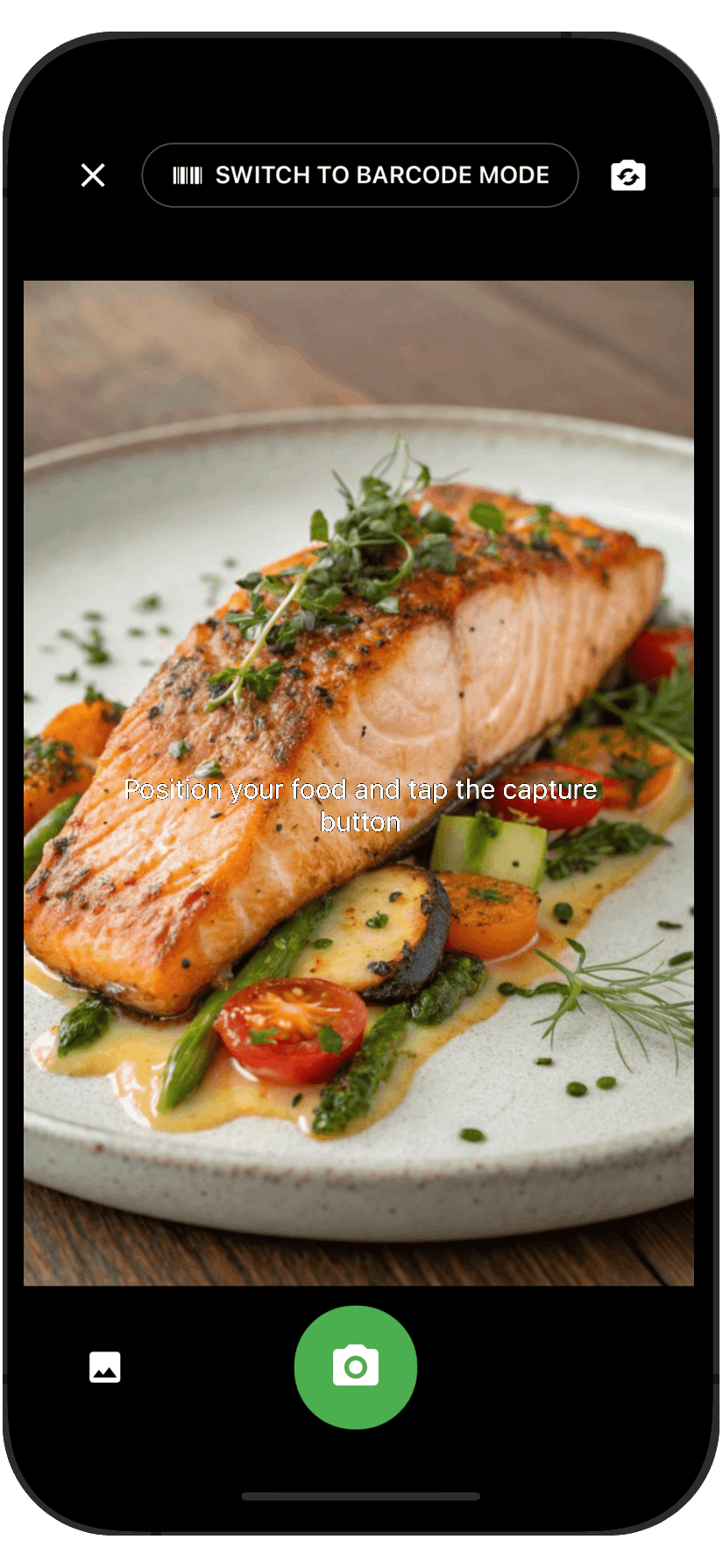
Calories and macronutrients only tell part of a nutritional story. Nutrivio also logs vitamins, minerals, fiber, and water for every meal, then compares those figures against personal targets. This gives a fuller picture of a diet than calorie counting alone typically provides.
Tracking fiber and micronutrients alongside macros is useful because deficiencies or imbalances often hide behind a seemingly balanced calorie count. For example, two meals with identical protein and carb totals can differ sharply in fiber or vitamin content. Seeing both sets of numbers side by side gives a more complete sense of what a day of eating actually delivers.
Connecting Workouts Through Strava Integration for Accurate Energy Balance

Nutrivio connects with Strava so that logged activities flow into the app automatically. This keeps energy intake and energy expenditure in the same dashboard, instead of requiring separate apps for food and exercise. The dashboard also shows calories eaten, calories burned, BMR, and progress toward a set goal in a single glance.
A separate breakdown shows where those burned calories come from, including base metabolic rate, daily movement, workouts, and food processing. That level of detail helps clarify why two days with similar workouts might still show different total energy burned. In addition, having workout data already present removes the step of manually entering exercise minutes or estimated calorie burn.
Personalized Coaching Tips After Every Meal
Each meal logged in Nutrivio returns a short tip rather than just a stored entry. The feedback includes practical advice, a warning if a food conflicts with a stated allergy or goal, and an occasional nudge to stay consistent. This turns a log entry into a small piece of feedback instead of a static record.
Because the tip appears right after the meal is logged, it stays connected to a specific food choice rather than a vague end-of-day summary. That timing is part of what separates app-based AI nutrition tracking from a written food diary, which typically offers no feedback at all until reviewed later.
Creating Shareable Nutrition Summaries and Weekly Recaps
Nutrivio turns each meal into a card that includes a photo, the identified foods, and the macro breakdown, formatted for sharing on Instagram Stories or in a group chat. A similar feature wraps an entire day, meals, workouts, and totals, into one shareable summary. That summary can go to friends or be sent directly to a nutritionist for review.
On a longer timeline, a Weekly Recap delivers a summary of calories, macros, and progress once a week. This gives a view of patterns across several days rather than a single meal in isolation. It also means progress does not have to be manually compiled from scattered daily entries.
Allergen Detection and Privacy Features in Nutrivio
The brand includes automatic allergen detection for common triggers such as nuts, dairy, and gluten, flagging them as meals are logged. This sits alongside the personalized tips mentioned earlier, adding a safety layer on top of general nutrition feedback. The app also supports 13 languages with region-aware nutrition recommendations, which broadens its relevance beyond a single country or diet style.
On the data side, Nutrivio applies end-to-end encryption and states compliance with GDPR. For an app that stores detailed food photos, health goals, and activity data, these privacy measures matter as much as the tracking features themselves. Additional tools, such as recipe suggestions based on what is already in a kitchen and goal-setting for weight or waist measurements, round out the rest of the feature set.
- Photo-based recognition replaces manual food database searches with a single image, description, or barcode scan.
- Nutrient tracking extends past macros to include vitamins, minerals, fiber, and water compared against targets.
- Strava integration brings workout data directly into the same dashboard as food logs.
- Meal-level coaching tips and allergy warnings appear immediately after each entry rather than at the end of the day.
- Shareable meal cards and day summaries turn logged data into something that can be sent to others without extra formatting.
- A Weekly Recap compiles calories, macros, and progress into one periodic summary instead of requiring manual review.
Taken together, these features show how far AI nutrition tracking has moved from simple calorie counters toward tools that combine recognition, feedback, and sharing in one place. Nutrivio reflects that shift by handling the identification and calculation work that used to fall entirely on the person logging the meal.
