
Share This Article
Configuring recording setups Riverside offers depends heavily on where participants are physically located during a session. A solo creator working from one room has very different needs than a show pulling in three remote guests across time zones. This article breaks down the local, remote, and hybrid recording modes available on Riverside, along with the editing and publishing paths that follow each one.
Local Recording: Separate Tracks and Internet-Independent Capture
Local recording refers to sessions where a participant captures video and audio directly on their own device before anything reaches the cloud. Riverside saves each track locally first, which means recording quality stays intact even if a connection drops mid-session. Video can reach up to 4K, and audio is captured as uncompressed 48kHz WAV files rather than a compressed stream.
Because every speaker gets an individual track, post-production work becomes far more flexible. A producer can adjust one participant’s volume without touching anyone else’s, or pull a single speaker’s clip for a highlight reel. Tracks progressively upload to the cloud as the session runs, so files tend to finish syncing shortly after recording wraps.
Remote Show Setup: Guest Recording on Individual Devices
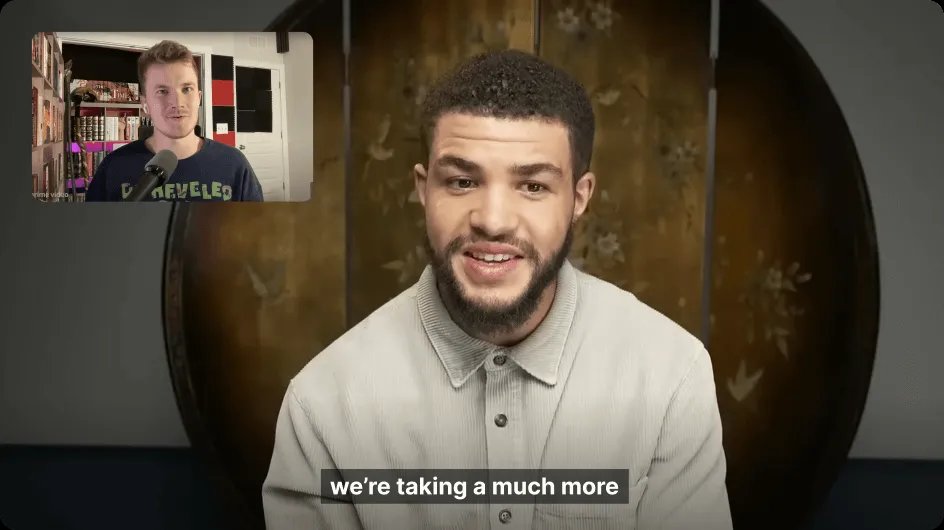
Most shows built around interviews rely on guests joining from their own devices, often with a home microphone and an ordinary webcam. Riverside still records each guest’s feed locally on their own machine, so the session is not limited by the host’s internet quality. This separates it from platforms that pipe everyone’s audio and video through a single cloud stream in real time.
Audio enhancement tools help smooth over the inconsistency that naturally comes with guests using different equipment. AI-based polishing removes background noise and evens out the sound so a basic USB mic and a professional studio setup land closer in quality. That matters for shows where guest gear is unpredictable from one episode to the next.
Hybrid Shows: Combining In-Room and Remote Participants

Some productions mix an in-person panel with one or two remote guests joining from elsewhere. In this configuration, local participants capture high-resolution tracks on dedicated cameras while remote guests record from whatever device they have on hand. It handles both inputs within the same studio session, keeping tracks separate for each speaker regardless of their location.
This structure introduces more variables during editing, since in-room footage and remote footage often differ in lighting and camera quality. The video enhancer can be applied selectively, cleaning up a lower-resolution remote feed without altering the sharper in-person footage. That targeted approach keeps the overall cut visually consistent without re-shooting anything.
Multicam Recording Without Extra Equipment: The In-Person Advantage
In-room setups come with one clear benefit: multiple cameras can be used without requiring any technical juggling during the session. Each camera feed is still recorded as its own track, which means a producer can switch between angles during editing exactly as a broadcast crew would. There’s no need for a separate switching device or live production team.
This differs from a fully remote show, where multicam options are limited to whatever each individual participant has set up at their desk. A host recording in person can bring a second or third camera for cutaways and reaction shots. Those extra angles add visual variety that’s harder to achieve when every participant is in a separate location.
AI-Assisted Editing for Multi-Track Sessions
Once a session wraps, regardless of whether it was local, remote, or hybrid, the editing stage works the same way across a text-based, multi-track editor. Deleting a line in the transcript removes that section from the video, and correcting a typo updates the corresponding clip without manual trimming. Riverside‘s AI tools can remove filler words, fix eye contact, and even adjust lip sync when a line gets rewritten.
For sessions with several speakers, separating crosstalk and switching layouts by speaker becomes far easier when each person already has their own track. This is where the earlier choice of recording setup pays off during editing. A session with clean, separated tracks from the start requires far less manual cleanup than one with mixed or blended audio.
- Local recording captures separate, internet-independent tracks directly on each device for maximum quality control.
- Remote guest capture also records individually on each participant’s own device, but typically relies on whatever microphone or webcam that guest already owns.
- Hybrid sessions combine high-resolution in-room tracks with remote guest tracks inside the same studio session.
- Editing complexity tends to rise with hybrid setups because lighting and camera quality can vary between in-room and remote feeds.
- Local and hybrid setups both support multicam angles when extra cameras are physically present in the room.
- All three configurations ultimately feed into the same text-based, AI-assisted editor once recording ends.
Publishing and Repurposing Across Platforms
After editing, Riverside’s AI Co-Creator can generate clips, posts, thumbnails, and headlines from a finished session. Episodes can be published directly to YouTube, Spotify, and Apple Podcasts through an RSS feed, along with ready-made show notes and transcriptions. Podcast hosting comes included with paid plans, which removes the need to juggle a separate hosting tool.
Per-episode analytics show how each piece of content performs, including total streams, top apps, and top countries. Publishing status can also be checked per platform, confirming exactly where an episode has gone live. This closes the loop between recording setups Riverside provides and the distribution side of running a show.
Recording setups on Riverside address the full range of production formats, from a solo creator to a distributed panel, with each mode streamlined for its own workflow demands.
