
Share This Article
In a digital world driven by documents, efficiency and flexibility are everything. Whether you’re a student reviewing notes, a professional signing contracts, or a team managing workflows, PDFs are at the center of it all. PDF Expert rises to meet these demands as the ultimate PDF editor npowerful, intuitive, and designed specifically for iPhone, iPad, and Mac users.
Designed for Simplicity, Built for Power
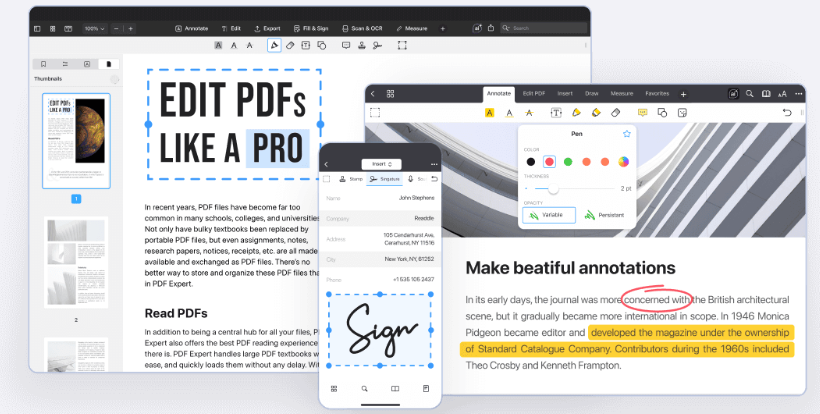
PDF Expert combines advanced functionality with a clean, user-friendly interface. From the moment you open the app, it’s clear that everything is built to make your workflow faster and smoother. Editing text, adjusting images, or reorganizing pages can all be done in just a few taps.
Despite its simplicity, the app delivers professional-grade capabilities. Users can modify text, add links, redact sensitive information, and manage entire documents effortlessly. It’s a tool that adapts to both everyday users and professionals without compromise .
All in One PDF Toolkit

What makes PDF Expert stand out is its all in one approach. Instead of relying on multiple tools, users get everything they need in a single app:
- Edit PDFs with precision
- Annotate and markup using highlights, notes, and drawings
- Sign documents quickly with electronic signatures
- Convert files to Word, Excel, PowerPoint, or images
- Merge and organize pages with ease
- Fill out forms seamlessly
- Use OCR to recognize text in scanned documents
This comprehensive toolkit ensures that no matter the task, PDF Expert has a solution ready .
Seamless Across Apple Devices
One of PDF Expert’s biggest strengths is its seamless integration across Apple’s ecosystem. With a single account, users can switch effortlessly between iPhone, iPad, and Mac, taking advantage of each device’s unique capabilities.
On iPhone, it offers an optimized reading experience with smooth scrolling and smart viewing modes. On iPad, it transforms into a powerful annotation tool especially when paired with Apple Pencil. On Mac, it delivers a full-scale workspace with enhanced productivity features and powerful OCR tools.
This cross-device consistency ensures that your documents are always accessible and easy to manage wherever you are .
Intelligent Features for Modern Workflows
PDF Expert goes beyond basic editing with intelligent features designed to enhance productivity. Its AI-powered “Enhance” tool improves scanned documents by fixing distortions, removing shadows, and boosting clarity. Meanwhile, advanced search capabilities allow users to find information instantly, even within large files.
The app also offers customizable tools, allowing users to arrange their workspace based on personal preferences. Whether you’re a student, educator, or business professional, PDF Expert adapts to your workflow.
A Superior Reading and Annotation Experience
Reading and reviewing PDFs has never been easier. PDF Expert offers multiple viewing modes, including day, night, and sepia themes, making it comfortable for any environment. Its smart reading mode even adjusts text layout to fit smaller screens, improving readability on mobile devices.
For collaboration and note-taking, the annotation toolkit is unmatched. Users can highlight text, add comments, insert stamps, draw diagrams, or even record audio notes all within the document. This makes it ideal for meetings, lectures, and project reviews.
Trusted by Millions Worldwide
With millions of users worldwide and recognition as an Editors’ Choice app, PDF Expert has earned its place as one of the most trusted PDF solutions available. Its reputation is built on reliability, speed, and continuous innovation, ensuring users always have access to the latest tools and improvements .
The Future of Document Management
PDF Expert is more than just an editor it’s a complete document management solution. By combining powerful features, seamless device integration, and an intuitive design, it empowers users to work smarter and more efficiently.
In a world where productivity matters more than ever, PDF Expert stands out as the ultimate companion for handling PDFs on iPhone, iPad, and Mac.
Because when your tools work effortlessly, so do you.
