
Share This Article
Creating professional designs used to mean learning complex software or hiring a designer. Posters, brochures, business cards, and marketing materials often required time, experience, and expensive tools. Swift Publisher changes that experience completely. It brings powerful design capabilities into a simple, intuitive platform that makes publishing accessible for anyone using a Mac.
The Idea Behind Swift Publisher
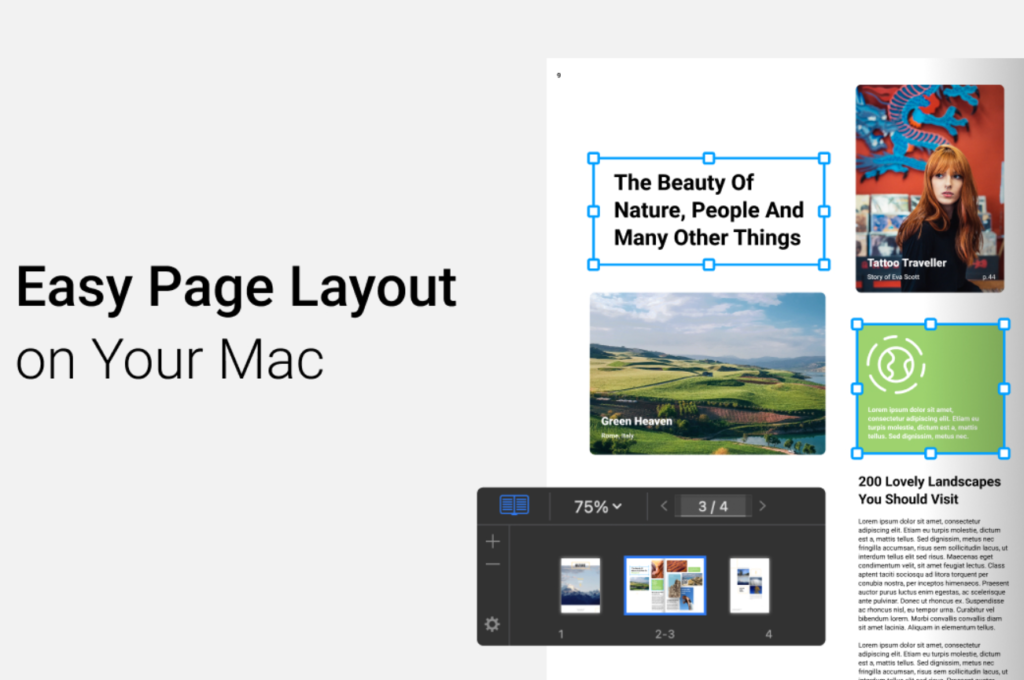
Swift Publisher is a desktop publishing and page layout application built specifically for macOS. It is designed to help users create professional-quality print and digital materials without the steep learning curve of traditional design software.
The concept is clear, make design approachable. Instead of overwhelming users with advanced features, Swift Publisher focuses on usability and efficiency. It offers a balance between simplicity and capability, allowing beginners and experienced users to work comfortably within the same environment. This approach makes it especially useful for small businesses, educators, freelancers, and anyone who needs polished visual content without becoming a full-time designer.
A Tool That Covers Everything
One of the biggest strengths of Swift Publisher is its versatility. The software is not limited to one type of design project. It supports a wide range of use cases, making it a true all-in-one solution for publishing needs.
Users can create brochures, flyers, newsletters, magazines, business cards, labels, posters, and even social media graphics.
This flexibility means there is no need to switch between different tools for different tasks. Everything can be created, edited, and prepared for print or digital use within the same platform.
Designed for Simplicity

Swift Publisher stands out because of how easy it is to use. The interface is clean and intuitive, allowing users to jump in and start designing almost immediately.
Drag-and-drop functionality makes arranging elements straightforward. Text, images, and shapes can be placed exactly where they are needed without complicated steps.
This simplicity does not mean limited creativity. The platform still provides precise control over layouts, typography, and visual elements. It simply removes unnecessary complexity from the process.
Templates That Save Time
One of the most helpful features is the extensive template library. Swift Publisher offers hundreds of pre-designed templates that can be customized for different projects. These templates act as a starting point, allowing users to focus on content rather than building designs from scratch. Whether it is a tri-fold brochure or a business card, the structure is already in place. This is especially useful for users who need results quickly. Instead of spending hours designing, they can create polished materials in minutes.
- The software includes hundreds of ready-made templates for different use cases
- Drag and drop tools make layout design simple and intuitive
- Users can create both print and digital content within one platform
- Built-in image editing tools reduce the need for external software
- High-resolution export ensures professional print quality
- The interface is designed for both beginners and experienced users
- Multiple file formats allow easy sharing and publishing
- Layout controls enable precise positioning and customization
Built for Print and Digital
Swift Publisher is designed with both print and digital output in mind. This makes it suitable for a wide range of projects, from physical materials to online content. The software supports high-resolution exports in formats like PDF, PNG, JPEG, and EPS. It also includes features like CMYK color support and bleed settings, ensuring that printed materials look sharp and professional.
At the same time, digital designs can be optimized for web use, making it easy to create content for social media or online marketing.
This dual focus makes Swift Publisher a flexible tool for modern content creation.
A Practical Alternative to Complex Software
Professional design tools often come with steep learning curves and subscription costs. Swift Publisher offers a different approach.
It uses a one-time purchase model, making it more affordable compared to many industry-standard tools. This pricing structure appeals to freelancers, small businesses, and individuals who want professional results without ongoing expenses.
The software is often seen as a middle ground. It is more powerful than basic tools like word processors but simpler than advanced design suites.
This positioning makes it ideal for users who need efficiency without sacrificing quality.
Who Swift Publisher Is For
Swift Publisher is designed for a wide range of users. It works particularly well for those who need to create visual materials regularly but do not want to invest in complex software.
Small business owners can design marketing materials in-house. Educators can create newsletters and classroom resources. Freelancers can produce client work without additional tools.
Even beginners can use the software effectively, thanks to its intuitive layout and guided design process.
Why Swift Publisher Stands Out
The strength of Swift Publisher lies in its balance. It combines ease of use with enough functionality to produce professional results.
Instead of focusing on advanced features that only experts use, it prioritizes accessibility and speed. This makes it possible to create high-quality designs without spending hours learning the software.
Another key advantage is its versatility. From simple flyers to complex layouts, the platform adapts to different needs without requiring multiple tools.
A Smarter Way to Design
Swift Publisher reflects a broader shift in how people approach design. Not everyone wants to become a professional designer, but many still need professional-looking results. By simplifying the process and providing powerful tools in an accessible format, the software makes design more inclusive. Swift Publisher is about turning ideas into polished visuals quickly and efficiently. It removes the barriers that once made publishing complicated and replaces them with a workflow that feels natural, flexible, and easy to manage.
